

How to Choose the Best Industrial Panel PC for Your Device Application (2026 Guide)

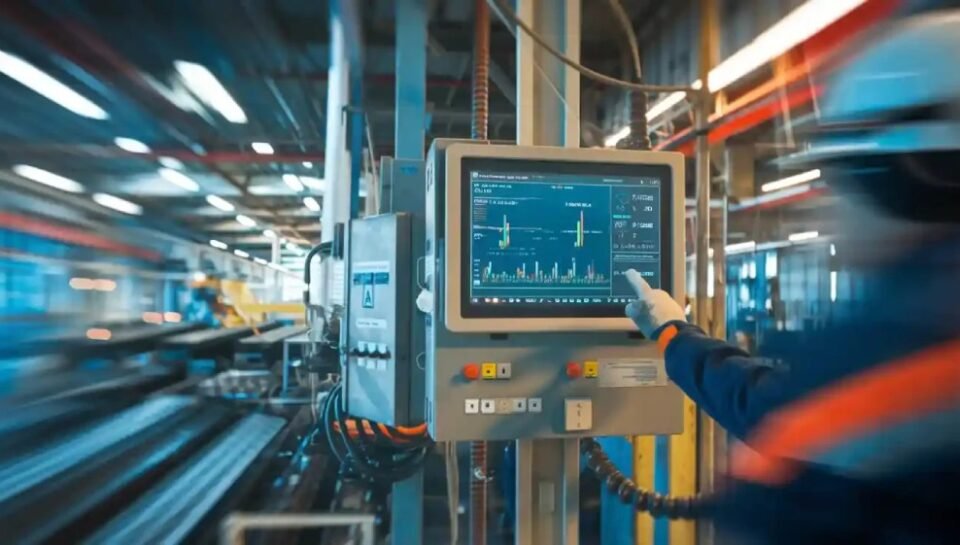
Choosing the right industrial panel PC is a critical decision for any device manufacturer, factory integrator, or automation project. Unlike consumer PCs, industrial panel PCs must operate continuously in harsh environments while maintaining stable performance and long-term reliability. Because they are often embedded into production machinery, kiosks, medical devices, and control systems, selecting the right specifications ensures the entire machine runs smoothly and safely. This guide explains every key factor you should evaluate before choosing an industrial panel PC for your application.
1. Understand What an Industrial Panel PC Is and Where It’s Used
An industrial panel PC is a rugged all-in-one computer that combines an industrial-grade motherboard, touch display, I/O ports, and protective housing. It is designed for environments where reliability and durability are essential. Unlike consumer devices, industrial panel PCs must withstand vibration, dust, temperature extremes, humidity, oil mist, and continuous 24/7 operation.
Industrial panel PCs are commonly used in:
Factory automation and PLC control
Smart manufacturing & MES systems
Medical equipment & laboratory devices
Industrial kiosks and HMI interfaces
Warehouse management terminals
Transportation, energy monitoring & outdoor control boxes
Embedded devices requiring a display + computing solution
Understanding your application’s nature (machine-integrated, wall-mounted, mobile workstation, outdoor, etc.) helps determine the right specs and durability level.
2. Determine the Operating Environment (Most Critical Step)
The operating environment directly influences hardware selection. Industrial panel PCs face challenges such as heat, vibration, moisture, and dust—conditions where consumer PCs would easily fail.
Important environmental factors include:
Temperature: Will the PC operate in a cold warehouse or near heating machinery?
Humidity/Oil Mist: Common in food processing, metal factories, CNC machines.
Dust/Debris: Woodworking, metal stamping, automotive workshops.
Direct Sunlight: Outdoor kiosks or vehicle-mounted devices.
Strong Vibration: Machine tools, automated conveyors, forklifts.
Key protection features to look for:
IP65 waterproof front panel to block dust and splashes
Fanless cooling to reduce dust intake
Wide temperature rating (-20°C to 70°C)
Anti-vibration internal design
Industrial power protection (surge, ESD)
Choosing the correct protection ensures long-term stability and reduces downtime, repair costs, and production losses.
3. Choose the Right CPU Based on Performance Requirements
The CPU determines how smoothly your industrial system functions. Different device applications require different processing power.
Here’s how to select the right processor:
Low to Medium Tasks
(For HMI display, PLC communication, dashboards)
Intel Atom
Intel Celeron J1900 / N5105 / N95
These are ideal for simple industrial tasks, cost-effective, and run cool.
Medium to Heavy Tasks
(For automation software, multi-window operation, data logging)
Intel Pentium
Intel Core i3
Balancing performance and power consumption.
High-Performance Industrial Applications
(For machine vision, AI inspection, high-speed data processing)
Intel Core i5 / i7 / i9
Optional NVIDIA GPU acceleration
Choosing a CPU that is slightly above your current needs ensures your machine stays future-proof for years.
4. Select the Display Size and Touch Technology
The display affects usability, operator efficiency, and device integration. Industrial panel PCs come in sizes ranging from 7” to 24”.
How to choose size:
7″–10.1″ → Compact machines, wall control panels
12″–15″ → Industrial control boxes, equipment dashboards
17″–24″ → SCADA systems, large visual displays, multi-window operations
Touch technologies:
| Touch Type | Best For | Features |
|---|---|---|
| Resistive Touch | Gloves, oil, dust | Works under pressure, ideal for industrial floors |
| Capacitive Touch (PCAP) | Clean environments, kiosks, medical devices | Smooth and highly sensitive, like smartphones |
| High-Brightness Panels | Outdoor, sunlight | 800–1000 nits brightness |
| Anti-glare Coating | Strong indoor lighting | Increases visibility |
The right touch technology ensures safe and efficient machine operation.
5. Check I/O Ports and Connectivity Needs
Industrial panel PCs must integrate with machines, sensors, automation systems, and networks. Before choosing, list all devices your system needs to connect with.
Key I/O and connectivity options include:
RS232 / RS485 / CANbus for PLCs and industrial controls
Multiple USB 2.0/3.0 ports
Dual LAN (RJ45) / Gigabit Ethernet
HDMI / VGA for additional displays
WiFi, Bluetooth, 4G/5G modules
GPIO (general-purpose input/output)
M.2 or PCIe slots for expansion
If your device integrates with automation equipment, RS485 + Modbus support is often required.
6. Memory and Storage Requirements
Stable performance requires proper RAM and industrial-grade storage.
RAM Recommendations
4GB → Basic HMI
8GB → Most automation tasks
16GB+ → High-performance, multi-tasking, video processing
Storage Recommendations
Industrial-grade SSD (never use consumer SSDs)
64GB–256GB for most industrial tasks
512GB+ for vision systems or data-heavy applications
Industrial SSDs offer wider temperature tolerance and better vibration resistance — essential for long-term stability.
7. Choose a Mounting Method Suitable for Your Machine or Environment
Mounting determines installation stability, maintenance convenience, and operator ergonomics.
Common mounting types:
Panel Mount – Installed into machines or cabinets
VESA Mount – Arms, walls, adjustable brackets
Rack Mount – Control centers and server setups
Open Frame Mount – Embedded into kiosk or device housing
Choosing the right mount ensures safety, efficient operation, and durability.
8. Evaluate Certifications, Reliability, and Supplier Support
Industrial devices need long-term supply stability and documented quality assurance.
Look for suppliers offering:
CE, FCC, RoHS, sometimes UL
Product lifecycle guarantee of 5–7 years
Availability of replacement parts
Strong after-sales service
Engineering customization support
Experience with your industry
A reliable supplier reduces risk during production and supports future project scaling.

Our cooperated panel pc manufacturer in Shenzhen, China
Why Work With DirectSourcingChina.com for Industrial Panel PC Sourcing
Choosing the best industrial panel PC is not only about selecting the right specifications—it is also about finding a reliable manufacturer who understands quality, engineering requirements, and long-term product stability. At DirectSourcingChina.com, we help global clients identify trusted Chinese industrial PC suppliers with proven manufacturing capability. With over 10 years of sourcing and quality management experience, including work backgrounds from leading brands like JBL, Harman, and Skullcandy, our team knows how to evaluate factories based on engineering strength, component reliability, certification readiness, and cost-effectiveness.
We understand the differences between industrial-grade components and consumer-grade shortcuts that many factories may use. Our on-site quality inspection, supplier audits, and cost comparison process ensure you get the most stable, suitable, and cost-effective Panel PC solution for your device or machine. Whether you need standard industrial panel PCs or custom OEM/ODM designs, you can rely on us to help you source smarter in China and avoid unnecessary risks.
If you are planning a project or need help identifying the right manufacturer, feel free to reach out through Direct Sourcing China—we are here to support your sourcing journey with confidence.